Thermal Labels Versus Shipping Labels: What Fits?
A label that prints clearly at your packing station can still be the wrong label for the job. The confusion around thermal labels versus shipping labels starts because the terms describe different things: one usually refers to how a label is printed, while the other describes what the label is used for. For a home-based seller shipping a few orders a week or a warehouse processing cartons all day, knowing the difference helps prevent wasted supplies, unreadable barcodes, and printer compatibility problems.
Thermal Labels Versus Shipping Labels: The Basic Difference
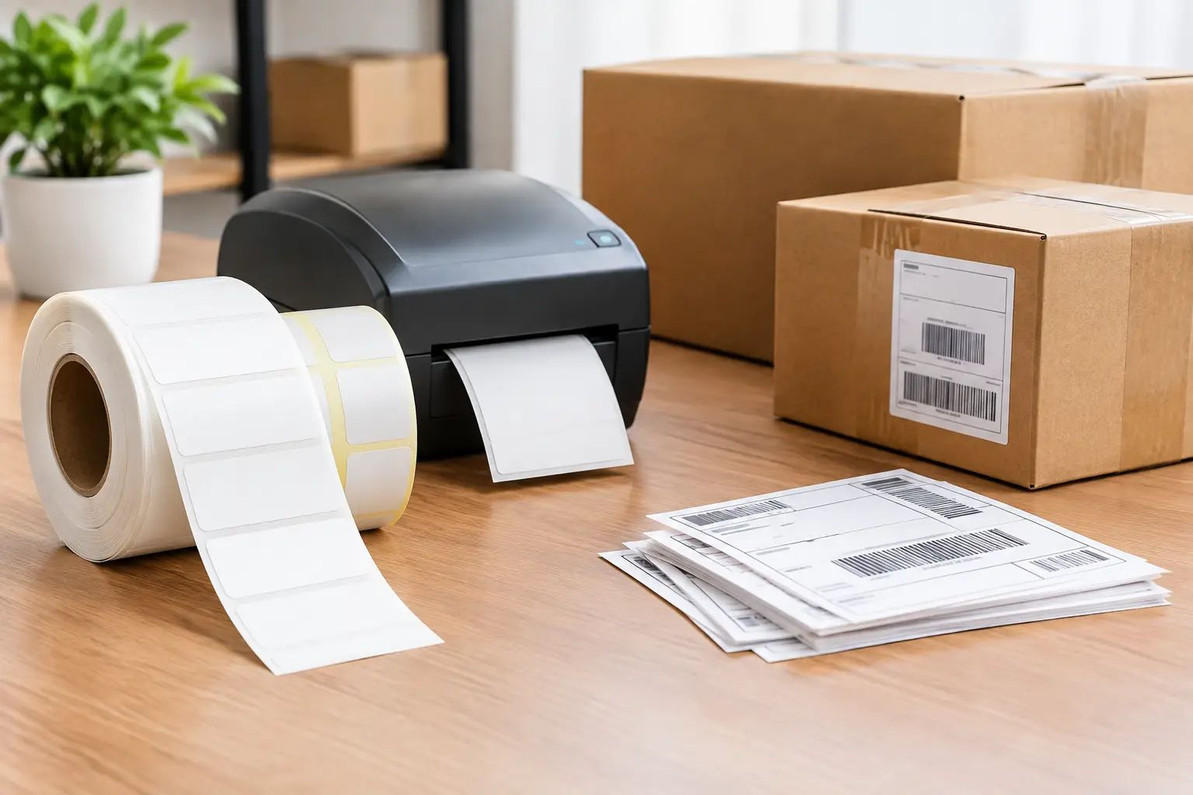
Thermal labels are label stock designed for a thermal printer. Instead of using ink or toner, a thermal printer applies heat to create an image. Many businesses choose thermal printing for packing slips, barcode labels, inventory labels, address labels, and carrier labels because it is fast and avoids routine ink or toner replacement.
Shipping labels are labels used to identify and route a package. They typically include the sender and recipient addresses, a barcode, tracking information, service details, and sometimes handling instructions. A shipping label can be printed on thermal label stock, but it can also be printed on a standard adhesive sheet using an inkjet or laser printer.
Put simply, a thermal label describes the printing format and material. A shipping label describes the purpose. A 4 x 6 direct thermal label is often both a thermal label and a shipping label. A small thermal label used to mark storage bins is thermal, but it is not a shipping label. A letter-size paper shipping label printed with toner is a shipping label, but it is not a thermal label.
That overlap matters when shopping. Do not assume every thermal label roll is sized or coated for shipping, and do not assume every shipping-label pack will work in a thermal printer.
What Makes a Good Shipping Label?
A shipping label needs enough room for the carrier-generated information to print at a readable size. For many U.S. parcel shipments, 4 x 6 inches is the common format. It gives barcodes, addresses, and service details room to print without shrinking or crowding the layout.
Smaller shipping labels may work for compact parcels, return labels, or specific shipping software settings. A 4 x 4 format can be useful when a carrier and platform support it, while 2 x 1 or 3 x 1 labels are generally better suited for product identification, shelf locations, or file organization. Before ordering labels, check the label size selected in your shipping platform and the size accepted by your printer.
The label adhesive is just as practical as the dimensions. A package moving through normal indoor handling needs a label that stays flat and secure on clean corrugated cardboard, poly mailers, and shipping envelopes. Dust, moisture, textured surfaces, cold conditions, and recycled cartons can all reduce adhesion. Applying a label to a dry, smooth panel of the package gives it the best chance of staying readable from pickup through delivery.
Direct Thermal or Thermal Transfer?
Not all thermal labels work the same way. The two common types are direct thermal and thermal transfer, and the printer determines which one you need.
Direct thermal labels
Direct thermal labels have a heat-sensitive surface that darkens when the printhead applies heat. They do not require a ribbon, which makes them a convenient choice for routine shipping labels. Most desktop shipping-label printers use direct thermal stock, and 4 x 6 fanfold labels or rolls are common options for these machines.
For standard parcels that move through the carrier network and arrive within a normal delivery window, direct thermal labels are usually a practical, value-focused choice. They print quickly, create less supply management at the packing bench, and keep the process simple for smaller operations.
The trade-off is durability over extended exposure. Direct thermal images can fade or darken when exposed to heat, strong light, friction, or certain chemicals. That does not make them unsuitable for ordinary shipping. It does mean they are less appropriate for labels that must remain legible for a long time in demanding storage or outdoor conditions.
Thermal transfer labels
Thermal transfer printing uses heat to transfer ink from a ribbon onto the label surface. These labels are often selected for long-term inventory identification, asset tracking, warehouse locations, and applications where labels may face more abrasion or environmental exposure.
Thermal transfer can provide a more durable printed image, but it requires compatible labels, ribbons, and a thermal transfer printer. For a seller whose main need is printing daily parcel labels, this added supply and equipment requirement may not be necessary. For a warehouse labeling racks, equipment, or inventory that will remain in place for months or years, it can be the better fit.
Match the Label to Your Printer First
Printer compatibility should be your first buying check, ahead of price per label. A direct thermal printer cannot print standard laser-label sheets, and a laser printer should not be fed rolled thermal labels. The label format, core size, roll diameter, and feed direction must also match the printer.
Fanfold labels stack behind or beside many shipping printers and can be convenient for busy packing stations because they lie flat and do not need a spindle. Roll labels are compact and work well where space is limited, but the roll's core diameter and outside diameter still need to fit the machine.
Check these four details before placing an order:
- Your printer type: direct thermal, thermal transfer, laser, or inkjet.
- The supported label width and the size set in your shipping software.
- Whether the printer accepts rolls, fanfold stacks, or both.
- The label feed orientation, especially if your printer uses a side or top sensor.
A low-cost case of labels is not a good deal if it feeds poorly, prints off-center, or requires you to resize every shipment manually.
Cost: Look Beyond the Label Price
Thermal shipping labels often have a higher upfront cost than plain paper, but the total operating cost can be lower for frequent shippers. There are no ink cartridges or toner cartridges to replace, and a dedicated thermal printer can print one label at a time without cutting sheets or peeling unused labels from a page.
For occasional shipping, adhesive sheets printed on an existing office printer can still make sense. If you send a few packages each month, using equipment you already own may be more practical than adding another device to your workspace. The decision changes as order volume grows. Printing individual 4 x 6 labels becomes faster and more consistent when you are processing multiple daily shipments.
Also consider wasted labels. If your shipping software defaults to 4 x 6 and you buy a different size, you may spend time adjusting layouts, or you may print a barcode too small to scan reliably. A compatible format often saves more time than the small difference between two label prices.
Choosing Labels for Common Jobs
For everyday e-commerce parcels, direct thermal 4 x 6 labels are the straightforward choice when you have a compatible thermal printer. They are sized for common carrier layouts and are easy to apply to boxes and mailers.
For return labels included in outgoing packages, the same stock often works well, provided the label dimensions match your platform's return-label setting. For product bins, inventory shelves, or organization projects, smaller thermal labels can reduce waste and make information easier to scan at a glance.
For long-term warehouse identification, consider whether the label must remain readable through repeated handling, changing temperatures, or lengthy storage. If so, thermal transfer labels and a compatible printer may justify the additional setup. If the label is only needed for a package's delivery journey, direct thermal stock is usually the simpler purchase.
Practical Tips for Clear, Scannable Labels
A label is only useful if its barcode and address stay readable. Keep the printhead clean according to the printer manufacturer's instructions, and run a test label after loading a new size or brand. If print looks light, streaked, too dark, or shifted, adjust the printer's density and calibration before printing a full batch.
Apply shipping labels flat, without covering the barcode with clear tape unless your carrier specifically permits it. Avoid placing labels over box seams, corners, straps, old barcodes, or heavily wrinkled areas. On reused boxes, remove or fully cover previous carrier labels so scanners do not pick up the wrong code.
For the best buying decision, start with the work in front of you: your printer, package volume, label size, and how long the printed information needs to last. The right label is not necessarily the most advanced option. It is the one that prints cleanly, adheres reliably, and keeps your packing process moving.
Recent Posts
-
How to Organize Toys With Clear Storage Bins
Toy clutter tends to peak right before the holidays, when birthday gifts from the year are still sca …Oct 23, 2026 -
Folding Chairs for Church Halls and Community Centers
Church halls, fellowship rooms and community centers ask more of their seating than almost any home. …Oct 23, 2026 -
Restaurant Bus Cart Guide: Using a Utility Cart for Bussing
Every busy dining room hits the same wall at some point in a shift: dirty plates stack up, servers m …Oct 23, 2026